 PasteFX
PasteFX · How-To
Automatically clean copied text before normal paste
Set one Default Workflow, copy as usual, and let normal Ctrl+V use the Prepared Output.
WindowsLocal-firstReal PasteFX workflow
The problem
Turn repeated cleanup into one dependable action.
Text copied from PDFs, websites, AI output, and OCR often carries list markers, wrapped paragraphs, extra spaces, and blank lines.
Before
• Project update
  The revised proposal is ready
  for review.

• Next step
Send approval by Friday.Result
Project update The revised proposal is ready for review. Next step Send approval by Friday.Visual proof
See PasteFX do the work
See Clean Imported Text prepare a paste-ready result in the real PasteFX interface.
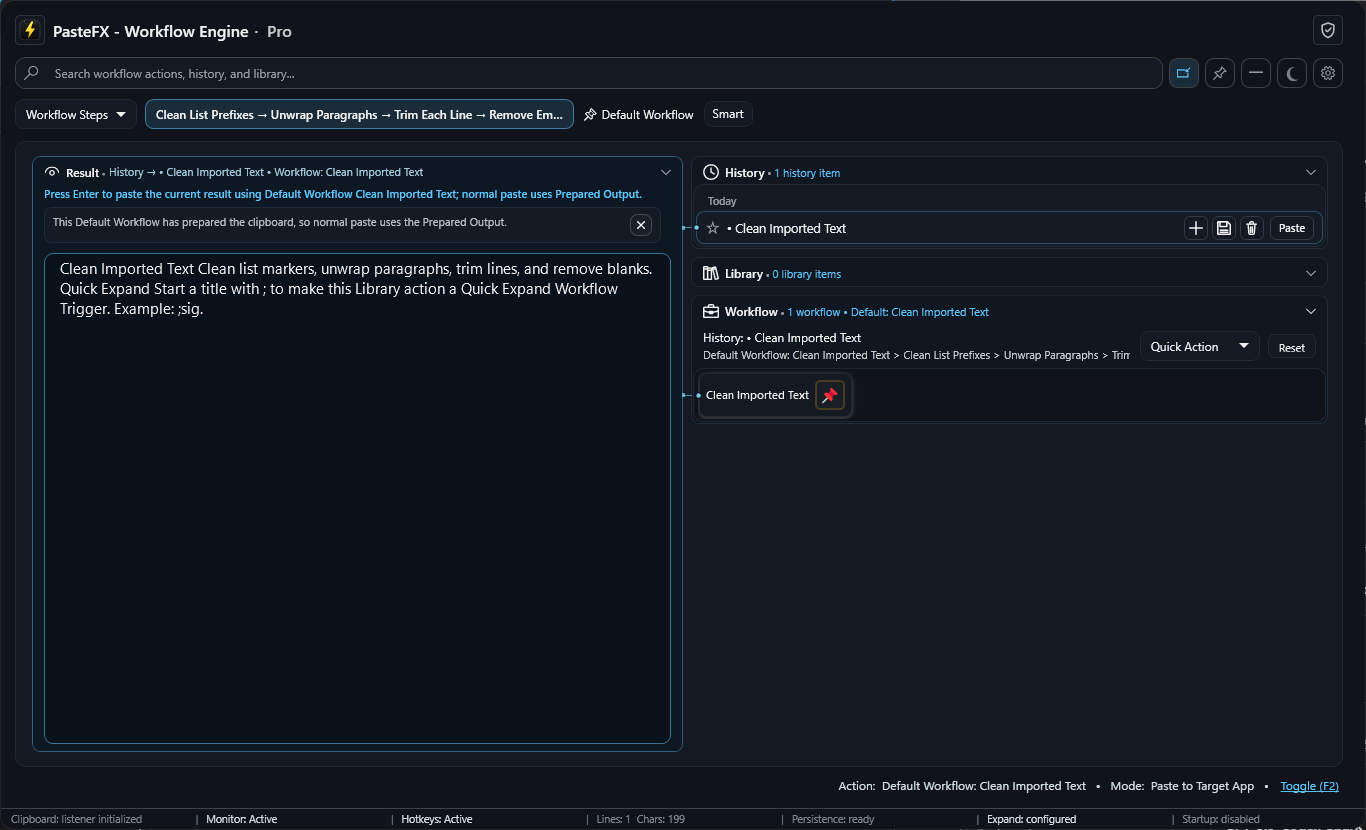
Do it with PasteFX
Four short steps
- 1
Open PasteFX and choose Clean Imported Text.
- 2
Pin it as the Default Workflow.
- 3
Enable Prepare Clipboard With Default Workflow After Copy in Settings.
- 4
Copy messy text. Paste normally where you need the cleaned result.
Make it smarter
Start free. Add capacity and automation when needed.
Pro adds app-specific Default Workflows and deeper keyboard automation. Basic Default Workflow preparation is available in Free.