 PasteFX
PasteFX · How-To
Create reusable text shortcuts with Quick Expand
Give a Library item a semicolon trigger, then expand the complete text at the current caret in any editable app.
WindowsLocal-firstReal PasteFX workflow
The problem
Replace repeated typing with one memorable trigger.
Addresses, signatures, replies, and standard answers are easy to mistype and tedious to repeat.
Before
;adaResult
Ada Lovelace
1843
Visual proof
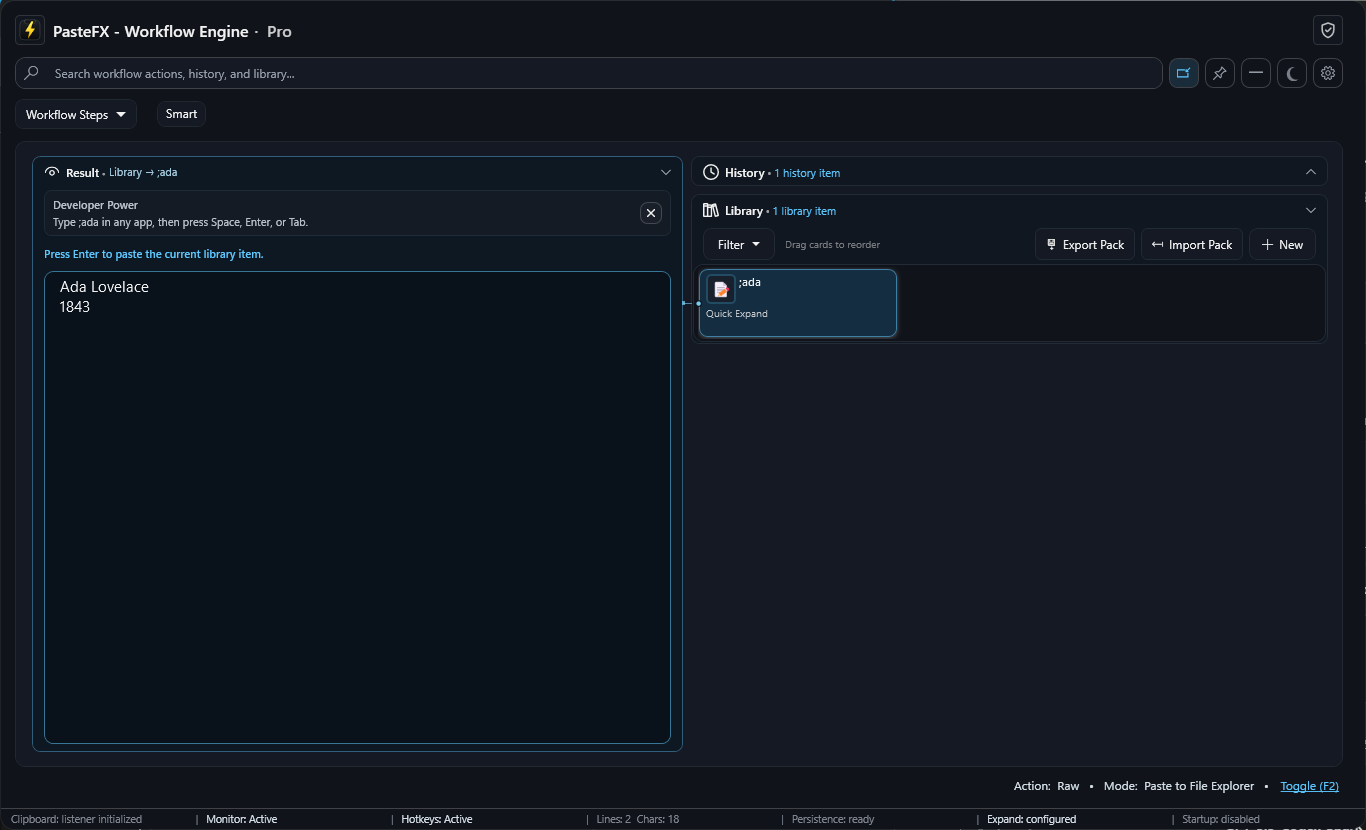
See PasteFX do the work
See ;ada expand into reusable text in the real PasteFX interface.
Do it with PasteFX
Four short steps
- 1
Create a new Library item.
- 2
Start its title with a trigger such as ;ada.
- 3
Enter the reusable text and save the item.
- 4
Type ;ada in an editable app, then press Space, Enter, or Tab.
Make it smarter
Start free. Add capacity and automation when needed.
Use fill-in values such as {{name}}, {{company}}, and {{role}} when part of the reusable text changes. Free includes up to 10 Library items.